
Anijam: AI Video Maker
SEEKOO HKArt & Design
4.3144.00 Reviews
- Version
- 1.2.14
- Installs
- 100.00K
- Age Rating
- Everyone
Screenshots
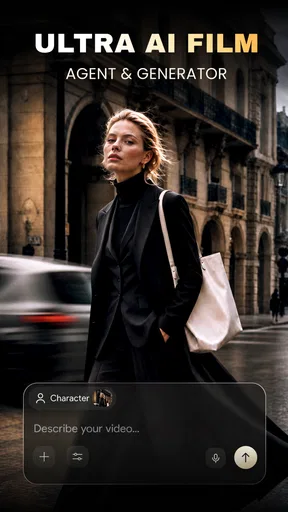
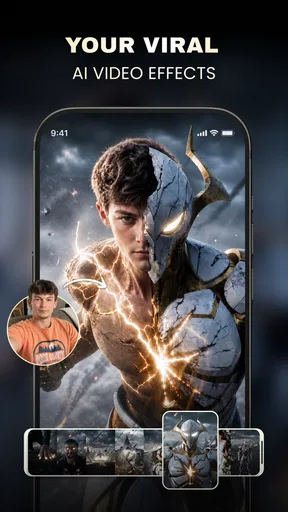
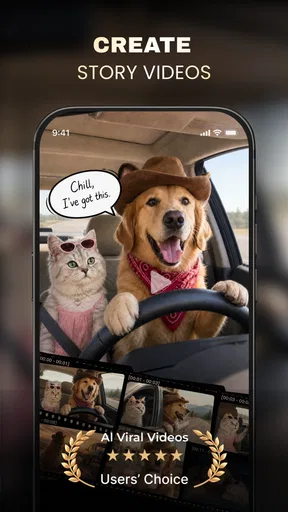
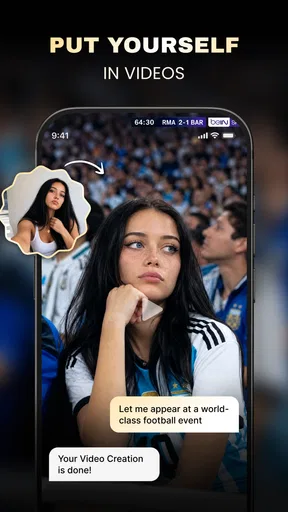
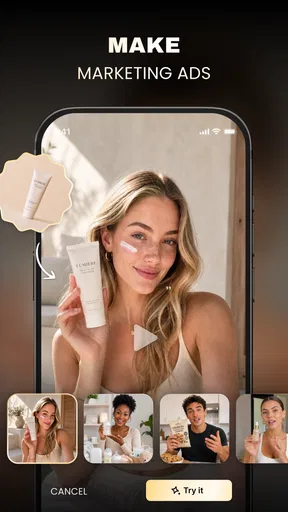
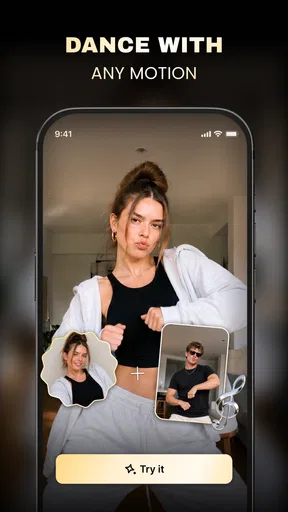
Our Review of Anijam: AI Video Maker
 Analysis by Appyee
I approached Anijam: AI Video Maker as a quick idea-to-animation tool rather than a replacement for a full editing suite. Its central appeal is simple: I can describe what I want in a chat-style interaction and work toward an animated video without beginning with a blank timeline, a complicated layer panel, or a long list of technical settings. That makes it especially interesting for people who have a story, lesson, joke, product idea, or social post in mind but do not already feel comfortable with animation software.
The app comes from SEEKOO HK and sits in the art and design category. It is free to install, rated for Everyone, and currently listed at version 1.2.2 for devices running Android 7.0 or later. The listing shows a 4.4 average from around 3.8 thousand ratings and more than 50 thousand installs, which suggests that it has already attracted a meaningful early audience without making it feel like an established professional standard. I would describe it as an accessible experiment for creating animated content, with the usual need to judge each result carefully rather than accepting the first generated version.
How Anijam feels when the network is part of the workflow
I find that a connected workflow changes how I plan a creative session: a clear idea and a steady connection matter as much as the animation itself. Keeping prompts somewhere I can retrieve them also makes interruptions less disruptive, while a deliberate pause between requests gives me room to judge each result. From there, the next useful question is how to manage the handoff from a generated draft to a finished piece.
Chatting changes the first step of animation
What I like most about this approach is that it moves the hardest decision to the beginning: explaining the idea clearly. Instead of asking me to choose a canvas size, draw a character, arrange keyframes, and then work out movement, the conversational format encourages me to start with a plain-language brief. I can think in terms of a scene, a mood, a character action, and an intended audience. That is much closer to how many people naturally imagine a video.
There is also a useful psychological advantage. Traditional mobile animation apps can make a small idea feel like a major project because the interface exposes every control immediately. A chat-led workflow hides much of that complexity at first. I can begin with something like a short explanation of a rainy-day story or a simple educational scene, then refine the concept through follow-up instructions. For a first draft, that is less intimidating than learning a timeline from scratch.
The trade-off is that the experience depends on communication rather than only on drawing skill. Vague prompts are likely to produce vague creative direction, so I found it more useful to describe the sequence in practical terms: who appears first, what changes, what the viewer should notice, and how the scene should end. Asking for “a fun animation” is far less useful than breaking the idea into visible actions. This is one of the app’s less obvious lessons: better planning in the conversation usually matters more than adding decorative detail.
Expect waiting during generation and revision
A chat-based animation workflow naturally creates moments where the app needs to process a request. The important point for me is that the network is not just a background convenience during those moments; it shapes the rhythm of the entire session. I would not open the app expecting the same instant response as a basic sketchpad. I would prepare the idea, send a focused instruction, and allow time to inspect the result before deciding what to change.
This makes a stable connection particularly valuable when I am developing several scenes in one sitting. A weak or changing connection can interrupt the creative flow at exactly the wrong point, especially when I am trying to compare a revised version with an earlier attempt. The app is therefore better suited to a deliberate connected session than to casual editing in places where service quality is unpredictable.
That does not make it unsuitable for mobile use. It simply changes how I would use it. I would draft the script or scene plan in a notes app first, then open Anijam when I am ready to turn that plan into visuals. This separates thinking from generation and avoids spending connection time trying to invent the entire concept one sentence at a time.
A realistic everyday use case
Imagine that I run a small community class and need a short animated reminder about recycling. On a phone, I could describe a few scenes: a character notices mixed waste, separates the items, and ends with a clear reminder. I would then review the generated sequence for clarity, ask for a simpler ending if the message feels crowded, and prepare the result for sharing. The value here is not cinematic polish; it is getting from a rough communication idea to something visual without hiring an animator or learning desktop software first.
For a social creator, the same workflow could help with a short explainer or a visual punchline. For a parent, it could turn a child’s story idea into a more engaging draft. For a student, it could provide a starting point for presenting a concept. In each case, the app is most useful when the goal is a concise, understandable animation rather than a long production with carefully controlled continuity.
Using it comfortably on a phone
Mobile context matters because a phone is excellent for capturing ideas but less comfortable for inspecting fine visual details. I found the conversational part easy to imagine using during a commute, in a waiting room, or during a short creative break. A quick prompt can preserve an idea that might otherwise disappear. The more demanding part comes later, when I need to watch the result closely and decide whether the timing, scene order, and visual emphasis actually communicate what I intended.
I would avoid treating a small screen as the final quality-control environment. A phone is convenient for reviewing the overall flow, but subtle problems can be easier to miss when I am rushing or watching in a noisy place. My practical routine would be to use mobile time for outlining, prompting, and rough review, then reserve a quieter session for checking the completed video from beginning to end.
Another useful habit is to keep each request focused. Rather than changing the story, style, pacing, and ending in one long message, I would alter one major element at a time. That makes it easier to understand whether a revision improved the animation or simply introduced a new problem. It also reduces the chance that a connected session becomes a confusing chain of increasingly broad instructions.
Where it differs from ordinary animation apps
Compared with a conventional mobile editor, Anijam begins with intent instead of manual assembly. A standard editor is usually better when I already have images, clips, audio, or a precise visual plan and want direct control over placement and timing. It gives me the satisfaction of making each decision myself, but that control comes with a steeper learning curve and more repetitive work.
Compared with a drawing app, this tool is aimed less at hand-rendering every frame and more at translating an idea into an animated result. That makes it attractive to people who think in stories or instructions rather than brush strokes. However, anyone who wants exact character anatomy, frame-by-frame movement, or a carefully maintained visual style may prefer a dedicated animation package.
The most sensible comparison is not “which app is best?” but “where do I want the control to live?” With a traditional editor, control lives in the timeline and tools. With Anijam, more of the early control lives in the conversation and the quality of the instructions. That can make starting faster, but it also means I need to inspect the result and correct the direction when the interpretation is not what I pictured.
When a connected session goes wrong
Any workflow that sends creative requests for processing can feel fragile when the connection drops or a response takes longer than expected. The most frustrating situation is not necessarily a failed generation; it is uncertainty about whether a request was received, processed, or interrupted. In that moment, repeatedly tapping or resending the same instruction can make the session harder to understand.
My safer approach is to keep a copy of important prompts outside the app, especially when they describe a complete scene or a multi-step story. If a session breaks, I can reconnect and continue from a known version instead of trying to reconstruct the wording from memory. I would also save meaningful results as I go rather than assuming the latest draft will always remain immediately available.
For revisions, I would label the intention in the prompt itself: change the ending, simplify the background, slow the action, or keep the character but alter the setting. This creates a recovery trail in my own notes and makes it easier to return to the last useful version. It is a small workflow improvement, but it matters more in a conversational tool than in a simple editor with an obvious project timeline.
There is another kind of failure worth watching for: a technically attractive result that misses the message. An animation can look lively while still placing the wrong emphasis on a scene or changing the logic of the story. I would watch every generated draft as a viewer, not just as its creator. If someone unfamiliar with the original idea cannot understand the sequence, the right fix may be a shorter and clearer prompt rather than a more elaborate one.
Being sensible with mobile data
Because the experience involves animated content and connected interaction, I would avoid using it carelessly on a limited mobile plan. I would prepare text in advance, use a reliable Wi-Fi connection for larger creative sessions when possible, and avoid sending many nearly identical revisions simply because the first result was not perfect. A concise prompt followed by a purposeful correction is a more responsible pattern than repeatedly experimenting without a clear goal.
I would also think about the kind of material I place into a creative request. Personal stories, private images, names, or sensitive project details deserve extra care in any connected creative service. The practical rule is simple: share only what the animation needs. A fictional character can often replace a real person, and a general description can be enough to communicate the scene without exposing unnecessary information.
For families, the Everyone rating makes the app approachable in terms of age classification, but I would still supervise younger users during connected creative sessions. The main reason is not the rating itself; it is helping children understand how to describe ideas clearly, review generated material critically, and avoid placing personal information into prompts. Used together, it can be an enjoyable storytelling activity rather than an automatic content machine.
Who should try it, and who should skip it?
I think Anijam is a strong fit for beginners, educators making simple visual explanations, social creators testing short concepts, and anyone who has more ideas than animation experience. It is also appealing when speed of experimentation matters more than exact manual control. If I want to see whether a story works visually before investing in a larger production, this is the kind of tool I would try first.
I would be more cautious if I needed frame-level precision, dependable continuity across many scenes, professional post-production control, or a carefully repeatable character design. In those situations, a conventional animation or video editor is likely to be the better choice, even if it takes longer to learn. The same applies if I mainly want to edit existing footage rather than generate animated material from a conversation.
The free entry point lowers the barrier to trying it, but the listing also includes in-app purchases ranging from $9.90 to $100 per item. I would therefore test the basic workflow before committing to any paid option and decide whether the results genuinely save me time. A paid purchase only makes sense if it supports a real recurring need, not simply because a first experiment was entertaining.
What I would do before paying
My evaluation process would be practical. First, I would create one short concept with a clear beginning, middle, and end. Then I would try a revision that changes only one element, such as the setting or the final action. Finally, I would watch the result without referring to my original prompt and ask whether the message is understandable on its own.
I would also compare the time spent writing prompts and reviewing results with the time a familiar editor would require. For a one-off playful clip, the conversational route may be ideal. For a series that needs the same characters and visual rules repeatedly, manual tools may become more efficient because they offer stronger direct control. This comparison prevents the novelty of AI-assisted creation from disguising a workflow that does not actually suit the project.
Version 1.2.2 is the version I would assess when installing today, and the Android requirement of 7.0 or newer makes it accessible to many older devices. Still, compatibility alone does not guarantee a smooth creative session. The phone’s available space, connection quality, screen size, and patience for reviewing generated drafts will influence the experience just as much as the operating system.
My connectivity verdict
After looking at the app through the lens of real mobile use, I see its strongest quality in the way it turns an intimidating creative task into a conversation. That makes the first step inviting and gives non-animators a practical way to explore stories, explanations, and short visual ideas. The network-dependent parts are also its main limitation: I would plan around reliable connectivity, preserve important prompts, and avoid treating every generation as instant or final.
For me, the best use is a focused connected session: prepare the concept, send a clear request, review the result, make one purposeful revision, and save the version that communicates well. That workflow keeps the app from becoming a stream of random experiments and makes its conversational design work in my favor.
My recommendation is positive for beginners and idea-driven creators, with realistic expectations. I would try Anijam if I wanted a quick animated draft from a written concept and did not need detailed frame-by-frame control. I would choose a traditional editor instead for precision, long-form consistency, or serious finishing work. Its free starting point makes experimentation easy, while the paid items mean I would judge the value through repeated everyday use rather than a single impressive result.
In short, this is an art and design app for people who want to begin with what they mean instead of what they know about animation software. When the connection is dependable and the instructions are specific, that can be a genuinely useful shortcut. When the project demands exact control or the network is unreliable, the shortcut becomes less convincing, and another tool may serve the work better.
Privacy and Permissions
See what permissions an app requests and how it handles your data.
- Photos/Media/Files
- read the contents of your USB storage, modify or delete the contents of your USB storage
- Storage
- read the contents of your USB storage, modify or delete the contents of your USB storage
- Wi-Fi connection information
- view Wi-Fi connections
- Other
- view network connections, full network access, run at startup, control vibration, prevent device from sleeping, Google Play license check
Verdict
Strengths of Anijam: AI Video Maker
- Turns simple text prompts into animated video concepts quickly.
- Useful for social media creators who need frequent short-form content.
- Helps users experiment with different visual styles and story ideas.
- Can reduce the need for advanced animation or video-editing skills.
- Convenient for creating drafts, storyboards, and promotional clips on mobile.
Limitations of Anijam: AI Video Maker
- AI results may vary noticeably between prompts and attempts.
- Character details can change between scenes or generated clips.
- Advanced editing options may be limited compared with professional software.
- Generated videos may require extra work before they look publish-ready.
- Some features or exports may depend on subscriptions, credits, or ads.
Similar Picks in This Category
View All
Canva: AI Photo & Video Editor
Canva4.8

PENUP – Drawing-sharing SNS
Samsung Electronics Co., Ltd.4.5

Crafto
Kutumb App4.6

Sketchbook
Sketchbook4.1

ibis Paint X
ibis inc.4.5

Adobe Express: AI Photo, Video
Adobe4.6
Frequently Asked Questions
What is Anijam: AI Video Maker and what can I create with it?
Anijam: AI Video Maker is an artificial-intelligence-powered video creation app designed to help users produce animated or stylized videos without advanced editing experience. Depending on the available tools and templates, you can usually start with a written idea, image, or selected media and turn it into a short video with generated scenes, motion, effects, music, captions, or transitions. It is mainly aimed at social content, creative experiments, presentations, and quick visual storytelling.
Is Anijam: AI Video Maker suitable for beginners?
Yes, the app is generally intended for beginners who want to create videos without learning complex professional software. Its appeal comes from automated generation, guided workflows, templates, and simple editing controls that reduce the amount of manual work. However, the quality of the final result still depends on the clarity of your prompts, the media you provide, and the options available in the selected template. Users seeking detailed frame-by-frame control may find it more limited than a traditional editor.
Does Anijam: AI Video Maker require an internet connection?
Most AI video-generation features require an active internet connection because prompts, images, and video requests are commonly processed on remote servers rather than entirely on the phone. A stable Wi-Fi or mobile-data connection is recommended, especially when generating longer clips or exporting high-resolution results. You may be able to browse saved projects or perform limited edits offline, but generation, cloud processing, account synchronization, and some downloads may not work without internet access.
Is Anijam: AI Video Maker free to use?
The app may offer free access to basic tools, previews, templates, or a limited number of generations, while advanced features can depend on subscriptions, credits, or in-app purchases. Before creating several projects, check the pricing screen carefully for generation limits, export restrictions, watermarks, resolution caps, and renewal terms. AI video services can consume significant processing resources, so free usage may be limited and premium plans may be required for frequent or commercial-quality production.
Are videos created with Anijam: AI Video Maker safe to use commercially?
Commercial usage depends on the app’s current terms of service, the licensing of its generated assets, and any music, images, characters, or templates included in your project. Do not assume that every generated video is automatically cleared for advertising, client work, or monetized social media. Review the app’s copyright and ownership policies, use media you have permission to use, and verify whether the selected plan grants commercial rights before publishing content for business purposes.
